
1. Overview
This guide explains how to connect an OSDP keypad (ex. Cidron) to the PWRCAN module using RS485.
- DIP switch configuration
- RS485 activation
- Power setup
- Wiring
2. Required Components
- CoreS3
- PWRCAN module
- Cidron OSDP keypad (Baud Rate 9600) or ZKteco (Baud Rate 115000)
- Dedicated power supply for keypad (12V, 2A)
- RS485 wiring
3. PWRCAN Configuration and Schematic
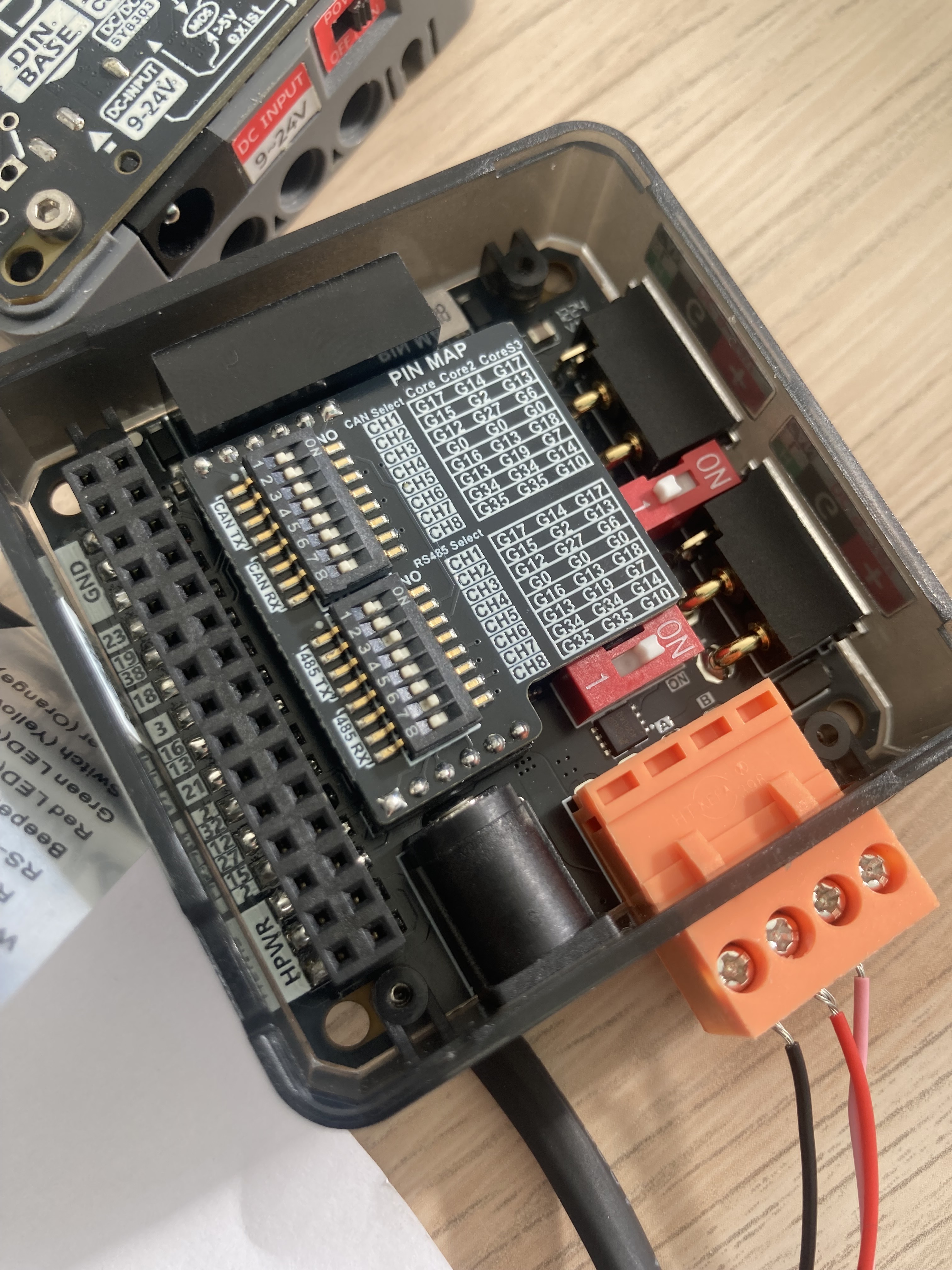
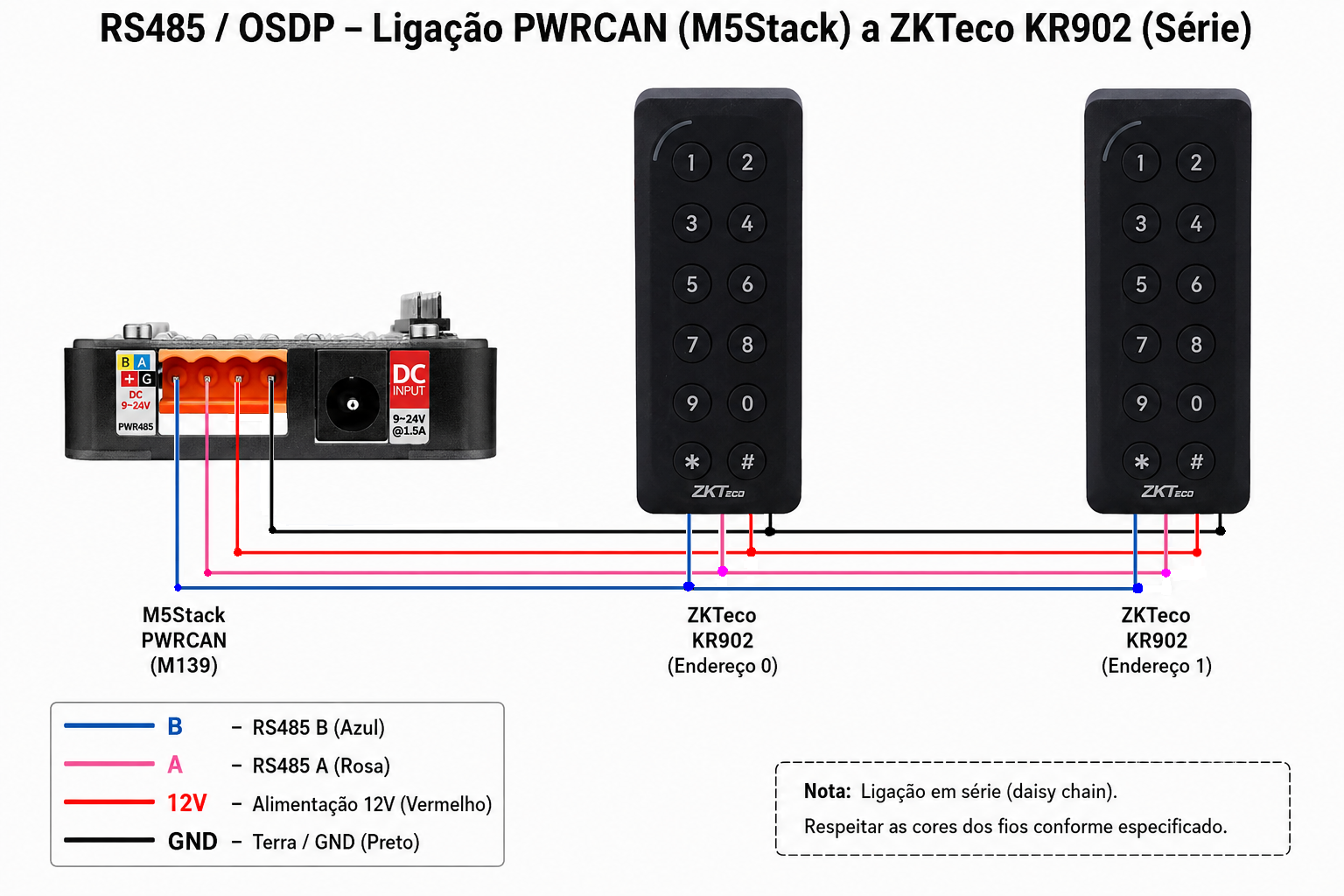
3.0 Set Baud Rate
The homeit BOX has 9600 baud rate by default which works with Cidron out of the box. If you want to connect to ZKTeco then you need to change baud rate to 115 000.
The baud rate can be changed in the Dashboard for Installers (right click in the controller and choose "Change Baud Rate").
3.1 DIP Switch Setup
Activate the following DIP switches in the RS485 section:
DIP 3 → ON → G6
DIP 7 → ON → G14
3.2 Enable RS485
RS485 switch → ON
3.3 Switch number of keypads inside of ZKTeco
ZKTeco KR902 - switch 0
ZKTeco KR902 - switch 1
ZKTeco KR902 - switch 2
etc...
4. RS485 Wiring
| PWRCAN | Cidron Keypad |
|---|---|
| A | A / TX |
| B | B / RX |
| + | DC+ |
| G | GND |
5. OSDP Communication Notes
- Protocol: OSDP over RS485
- Check keypad address. The "Cidron" keypad must programmed before to use OSDP and to have address 0.
6. Quick Summary
PWRCAN → Cidron

A → A/TX
B → B/RX
+ → DC+
G → GND
DIP switches:
3 = ON (G17)
7 = ON (G14)
RS485 = ON